

On my last post, I discussed my hunt for a PHP IDE, specifically PhpStorm. Development Environments are about as widely varied as there are ways to skin a cat, so I didn’t stop with PhpStorm. The second IDE on the evaluation list is a smaller product known as Sublime Text (or ST2).
As with last time, let’s talk cover the most critical facts about Sublime Text 2, first.
- Company: n/a
- Size: 6 MB download (Windows)
- Cost: $70 (Commercial License)
- Written in: Python
- Launch Time: Sub 1 second
- Wikipedia Article: Kinda Sad


Twas a weekend ‘net wander and what did I find? The Twitter Bootstrap project. Sexy websites, CSS, and JavaScript all in one, easy to customize… this has potential. So how do we get started? Well at the top of the page it says “We recommend Sublime Text 2”. Hadn’t heard of this editor, the ST website shows some sexy gifs, so it seemed worthy of investigation.
Sublime Text is basically on the total opposite end of the spectrum from PhpStorm, in every way imaginable. ST2 is small, fast, and has very little in the way of built-in “fancy features”. PhpStorm is the stereotypical monolithic IDE whereas ST2 isn’t even a true IDE, it styles itself as “a sophisticated text editor for code, markup and prose”. This means many features you’d expect to have in an IDE, aren’t in ST2 or don’t work as you’d expect (such as autocomplete).

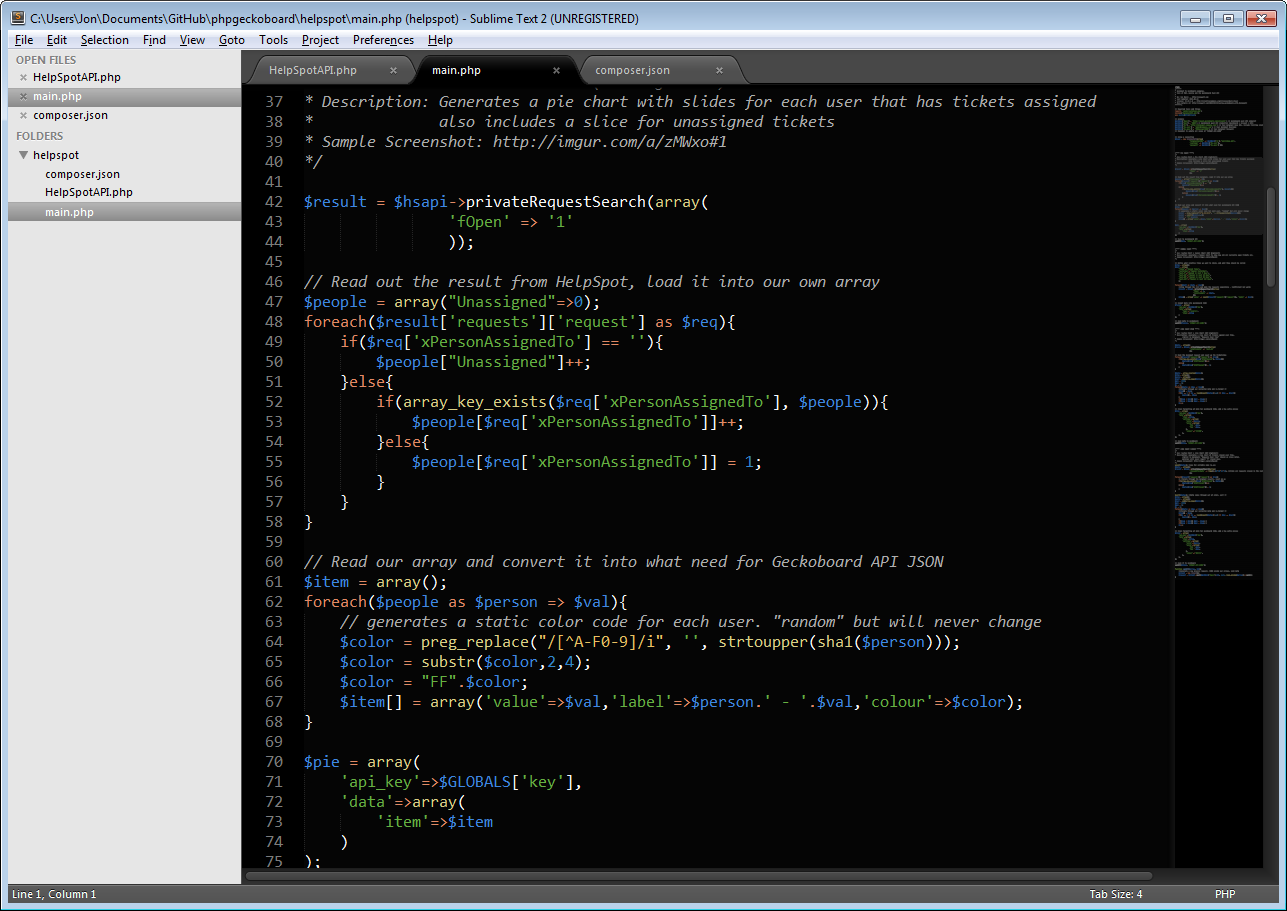
ST2s small, lightweight, unobtrusive way of doing things is quite endearing to me — especially since I’ve never been much of a fan of IDEs. Just because it lacks the “fancy features” out of the box, does not mean ST2 is helpless. The counterbalance is that ST2 has a very rich system of plugins. One of the first “plugins” I found was called Sublime Package Control which allows you to install additional packages (plugins) without even having to leave Sublime Tech 2’s lightweight interface. A quick google found me articles such as Jason Fox’s “10 Crucial Sublime Text 2 Plugins for the PHP Craftsman“, which might include more stuff than I need, but gave me a great jumping off point. In fact, I’ve found enough nifty plugins that I could do an entire post just devoted to ST2 plugins.

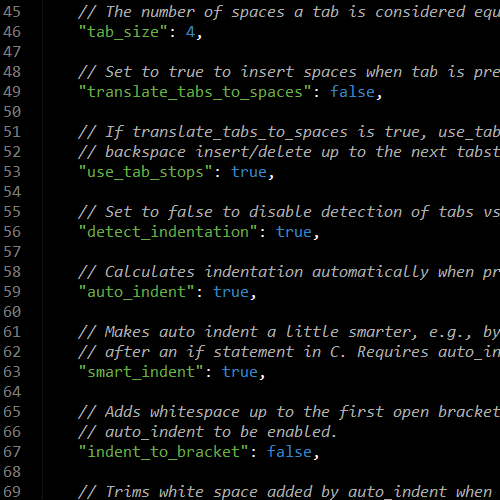
Under that simplistic hood of ST2, is a power in customization and configuration. Amusingly, it’s all done in JSON which has become a defacto-standard for all languages to communicate structured data inter- and intra- application, JavaScript or not. Most of the GUI options in ST2 related to preferences or settings; just open up the relevant file and it leaves you to tinker as you see fit. In my book, this is a Good Thing™ since it means I can easily copy/save/share my settings. Also, while ST2 isn’t open source, all the plugins/themes/etc are open source (they’re all on GitHub), so one could tweak them to suit.
At the end of the day, ST2 isn’t quite as scary to start out with (and certainly much less annoying) than PhpStorm. On the flip side, it takes a little more work to get ST2 up to proper IDE status. Being cheaper certainly helps, but I’m leaning towards ST2 because it has obviously been designed as a “hackers” environment. Everything can be done via keyboard (see also: “goto anything” and “Command palette”) and you can tweak it just so. I get annoyed when I need to interrupt my workflow by picking up a mouse (I’m looking at you OSX). Stay tuned, we’ll have a decision soon, I’m sure.