</small>” width=”600px”/><figcaption class=](https://cdn.obviate.io/wp-content/uploads/Kindle_DX_Front.jpg) The Kindle DX [CC-BY-SA-3.0 Jon Davis](http://commons.wikimedia.org/wiki/File:Kindle_DX_Front.jpg)
The Kindle DX [CC-BY-SA-3.0 Jon Davis](http://commons.wikimedia.org/wiki/File:Kindle_DX_Front.jpg)There has been plenty written about the Kindle DX, good and bad. There has also been a lot of fighting on whether the device is better or worse, too soon, so on and so forth. I really don’t care about that. I bought one; I got it yesterday; I’m happy. I haven’t been able to spend a ton of time using my Kindle DX (I do have to work and stuff), but I thought I would share at least my initial reactions.
My very first reaction: Wow. It’s big.
Obviously, I knew ahead of time that the Kindle DX (KDX) was larger than the Kindle 2 (K2), that is the point after all, but it is still a little surprising. In fact the KDX is almost exactly the same size as my Eee PC 1000. The screens between the two devices are very similar in size, just slightly different shapes; the KDX screen being shorter, but wider. After getting used to the Kindle 1 (K1) and the K2, getting a device this size is a bit jarring. It was a bit of a mixed reaction.
</small>” width=”600px”/><figcaption class=](https://cdn.obviate.io/wp-content/uploads/KDX_Rotated.jpg) KDX in landscape orientation [CC-BY-SA-3.0 Jon Davis](http://commons.wikimedia.org/wiki/File:KDX_Rotated.jpg)
KDX in landscape orientation [CC-BY-SA-3.0 Jon Davis](http://commons.wikimedia.org/wiki/File:KDX_Rotated.jpg)The next major notice is the next/previous page buttons. On the KDX they are only on the right hand side, no more left side buttons. Even though I’m right handed, I prefer holding my Kindles with my left hand. This is because it allows me to still interact with the world using my right hand. So the loss of these left side buttons is a little sad to me. Now before this makes anyone upset, remember that the KDX has a tilt sensor. You can (and I have) simply rotate the KDX to be “upside down”. The page fixes itself, and the buttons are on the left hand side. While this is nifty, my major problem with it is that it takes a second to rotate the device in your hands and the screen to catch up. This is opposed to the K2 where you could simply pass the device back and forth between your hands while having your reading experience uninterrupted. Minor miff, but I’m sure I’ll get used to it.
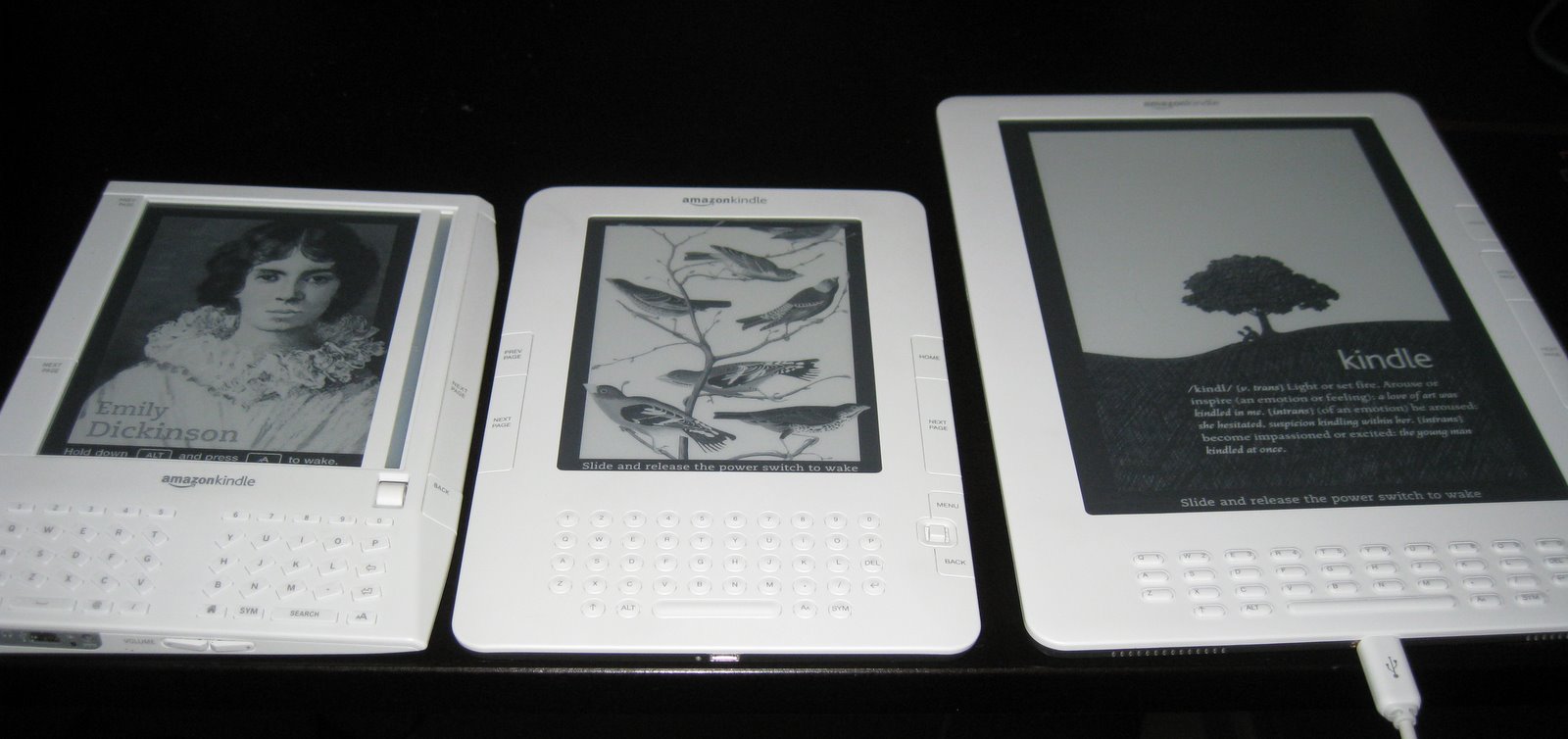
The last major physical difference to the KDX is the keyboard. The K1 Keyboard had a crazy (but interesting) design. The K2 Keyboard was a decent revision, going to a more normal design. The KDX Keyboard is yet another overhaul. This time they dropped the numbers row and made the keys more of a Tic Tac shape. I haven’t done a lot of typing, but so far the keyboard has been decent. The biggest problem I see with this keyboard is the fact that the device is simply too wide to effectively use the keyboard. If I’m holding the device on the outsides, it is a bit of a stretch to reach G/H (for example) with my thumbs.


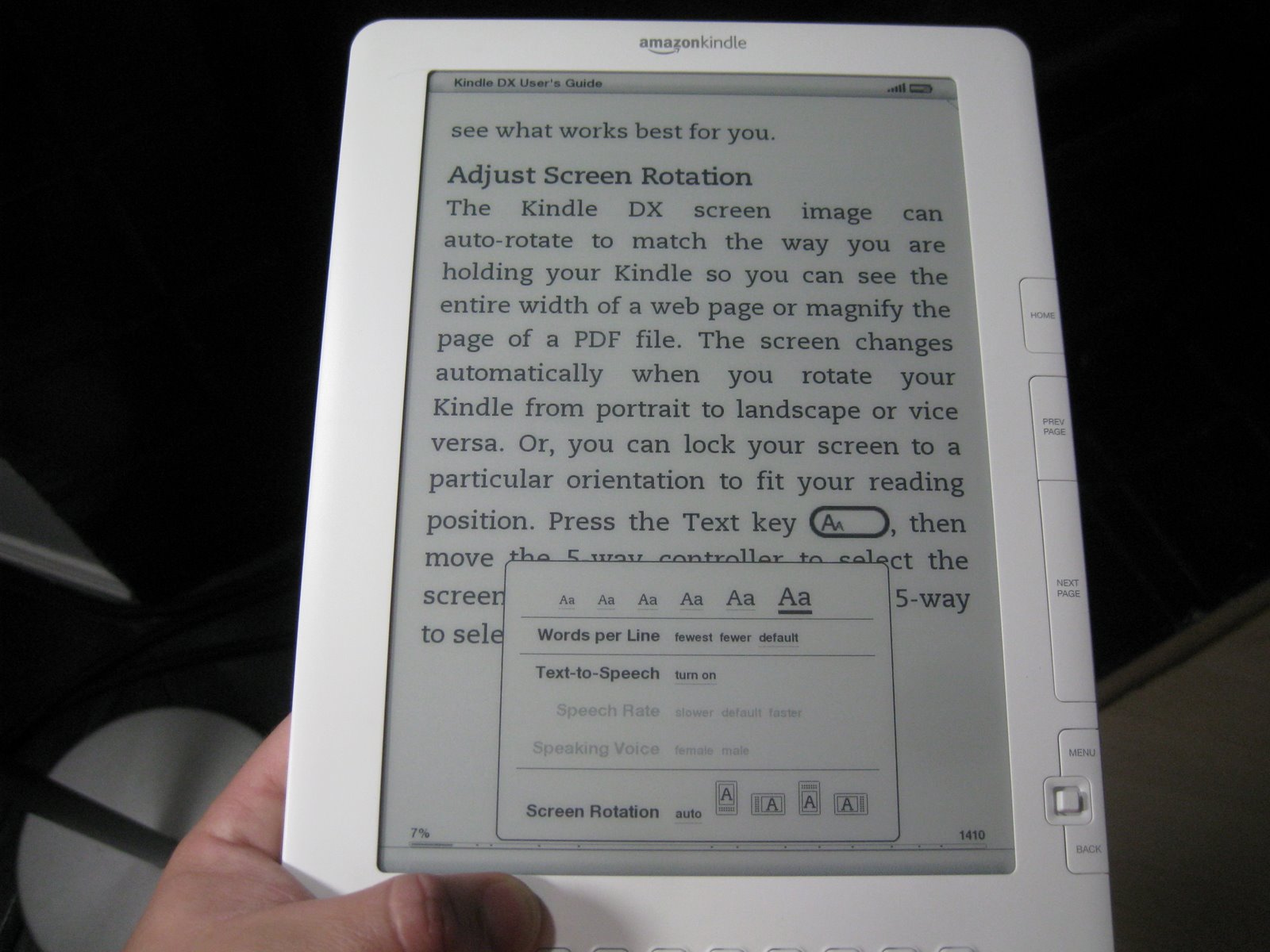
So, how do I like the device after using it for just a day? It’s different. Being larger is definitely nice, seeing as how you can go that much longer between page turns. Plus you can turn up the font size to what I affectionately refer to as “HUGE” (the text is 1/4″ inch tall) while still retaining a reasonable amount of text on screen. The tilt sensor also works well, it doesn’t trigger a screen rotation until the device is over 45deg to one side or the other. I like that it is more likely to stay “upright”, unlike the iTouches and iPhones which seem to switch orientation on the drop of a hat (and unlike the Kindle lack the ability to lock the rotation).
</small>” width=”600px”/><figcaption class=](https://cdn.obviate.io/wp-content/uploads/KDX_and_K2.jpg) The K2 in front of the KDX [CC-BY-SA-3.0 Jon Davis](http://commons.wikimedia.org/wiki/File:KDX_and_K2.jpg)
The K2 in front of the KDX [CC-BY-SA-3.0 Jon Davis](http://commons.wikimedia.org/wiki/File:KDX_and_K2.jpg)My main complaint with the KDX? The weight. The reason why I’ve really enjoyed reading with my Kindles was because I could “one hand” it without issue. The KDX seems to be just slightly too heavy (it might be more to do with the size exacerbating the slightly increased weight). I was reading in bed last night and I found myself having to switch hands more often that I’d like, simply because my thumb was getting tired of holding on. I think with a little bit of getting used to it, and working on finding a better hold position, the issue could become moot.
Parting words. People, the Kindle DX is NOT the Kindle 3. Get over yourselves and the fact that you just bought a Kindle 2 (Hey, I did too, the trio are pictured above). The Kindle DX is to the Kindle 2 as an iPod Touch is to the iPod Shuffle. It is made with a different market in mind, with a different purpose and a different form factor. Yes, the thing is large, but it is supposed to be. If you want a small and easy to carry eBook reader, buy a Kindle 2. That being said, for what it is, it is a fantastic device. Especially if you are loading up PDF documents. If you’re unhappy with the KDX/K2 situation, wait a year, I’m sure the Kindle 3 will be out — and I’ll buy one of those too (gotta catch ’em all!).